How to Find Amazon Products with Few Sellers
Find Amazon products with few sellers and steady demand: where to look, how to count offers, which low-competition signs are traps and what to check first.
To find Amazon products with few sellers, build a list of candidate products, open each one’s offer list and count the sellers, then keep the products that also sell steadily. Few sellers only helps when there is demand: a product with two sellers and a steady Sales Rank is an opportunity; a product with two sellers because nobody buys it is not. Also rule out products that only the brand or Amazon can sell.
Why few sellers matters
On Amazon, every seller of the same product shares one product page and competes for the Featured Offer (what the Buy Box is). With fewer sellers, each one gets a larger part of the sales, and prices are less likely to fall in a race to the bottom. That is why resellers, in wholesale and arbitrage, look for products with steady demand and few offers.
How to count the sellers of a product
- Open the product page.
- Under the buy box, look at Other sellers on Amazon or the number of offers.
- Open the offer list and count the new offers (filter by New if you sell new items).
- Note who holds the Featured Offer, whether Amazon has an offer, and how many offers are FBA (FBA vs FBM).
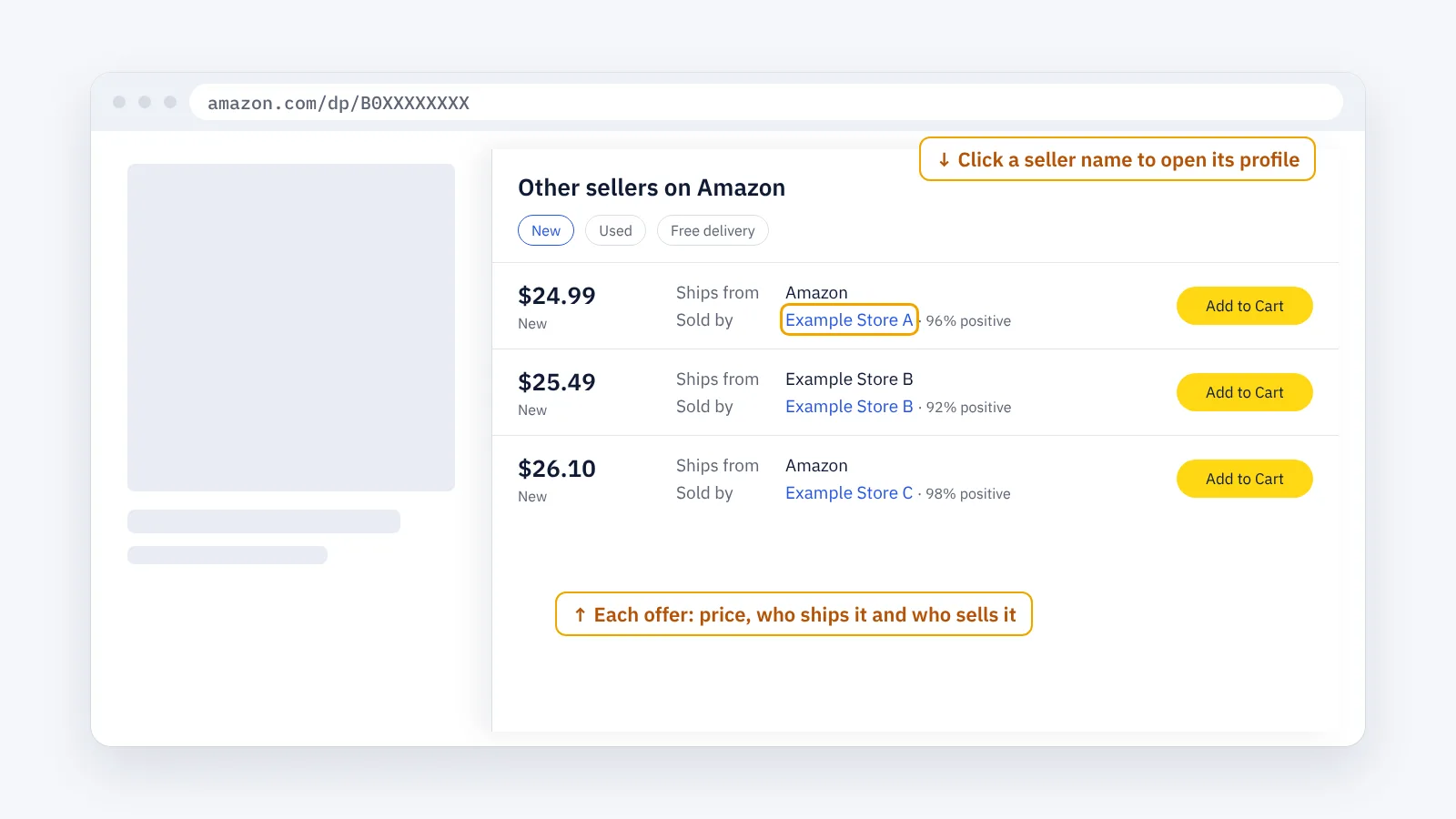
The full method is in how to find who sells a product.
Where to look for candidates
- Around your own products: the products in the same exact category as the ones you already sell (ASIN research).
- In mid-sized categories: very large categories attract many sellers; very small ones may lack demand.
- In wholesale sellers’ storefronts: products that a reseller carries but few others offer (how to find all products sold by an Amazon seller).
- Among FBM-only products: if every offer ships from the seller, a fast FBA offer may compete well, as long as the numbers work.
- In brands that are hard to open: brands with stricter wholesale terms often have fewer resellers.
Few sellers: opportunity or warning?
| What you see | What it often means |
|---|---|
| Few sellers, steady Sales Rank | Opportunity: check approval and margin |
| Few sellers, weak or no Sales Rank | Little demand: few sellers because few buyers |
| One seller, and it is the brand | A brand-owned listing: usually not open to resellers |
| Amazon is one of the few sellers | Amazon often holds the Featured Offer |
| Few sellers today, many last month | Sellers ran out of stock; they may come back |
| Few sellers, product needs approval | Possible, if you can get approved (Amazon Apply to Sell: gated products) |
Step by step
- Build a candidate list from the places above, in one spreadsheet with the ASIN and marketplace.
- Count the new offers for each product and note Amazon, the Featured Offer and FBA or FBM.
- Check demand with the Sales Rank in the product’s category (how to read the Amazon Sales Rank).
- Remove the traps from the table above.
- Check approval and margin in Seller Central and with Amazon’s Revenue Calculator.
- Check again over a few days. Offer counts change as sellers run out of stock and restock.
Tips
- Count new offers, not all offers. Used offers compete in a different way.
- Watch the trend, not one moment. A product with three sellers today may have ten next week.
- Keep products with steady sellers. If the same few sellers stay for weeks, the product is stable.
- Think about your edge: faster delivery, steady stock or better prices can matter more than a low seller count.
The faster way: count sellers with ENSKOM
Opening the offer list of hundreds of products takes hours. ENSKOM’s ASIN Researcher is a Chrome extension that does it in your own browser:
- ASIN Researcher: start from your ASINs and get the products in their exact categories, graded Very Strong, Strong or Related: your candidate list.
- Detailed Research: for the products you select, collect the current sellers, Featured Offer, FBA or FBM, price and Sales Rank, as Amazon shows them. A value Amazon does not show is marked Unknown, never guessed.
- Seller Discovery: see every seller offering your ASINs.
- Export: export to CSV or Excel and sort the products by their sellers and Sales Rank.
The Free plan includes every research feature.
Guides: Detailed Research · Start a new research · Seller Discovery
FAQ
How many sellers is “few” on Amazon?
There is no fixed number. It depends on demand: a product that sells a lot can carry more sellers than a slow one. Compare the number of sellers with the Sales Rank.
Why does a good product have only one seller?
Often because it is the brand’s own product, the brand does not sell to resellers, or it needs approval. Check before you look for a supplier.
Is a product sold only by FBM sellers a good sign?
It can be. Buyers often prefer fast delivery, so an FBA offer may win more of the sales, if your costs still work.
Should I avoid products that Amazon sells?
Not always, but be careful. Amazon often holds the Featured Offer when it sells the product itself.
Do seller counts change?
Yes, often daily. Sellers run out of stock, restock and change prices. Check over several days before you decide.