How to Find a Product’s Exact Amazon Category
Find any product’s exact Amazon category: read the category path, check the Sales Rank categories and find the browse node ID. Why the last category matters.
To find a product’s exact Amazon category, open its product page and read the category path at the top, from the broadest category to the most specific one. The last category in the path is the exact one. Click it: the address then shows the category ID (browse node) after node=. The Best Sellers Rank line in the product details can name more categories the product is listed in.
Why the exact category matters
- Closest competitors: the products in the most specific category are the product’s nearest neighbours.
- Fair comparisons: a Sales Rank only means something next to products in the same category (how to read the Amazon Sales Rank).
- Fees: Amazon’s referral fee depends on the category.
- Approvals: some categories need Amazon’s approval before you can sell in them.
Step 1 · Read the category path
At the top of the product page, Amazon shows the category path, also called the breadcrumb, for example:
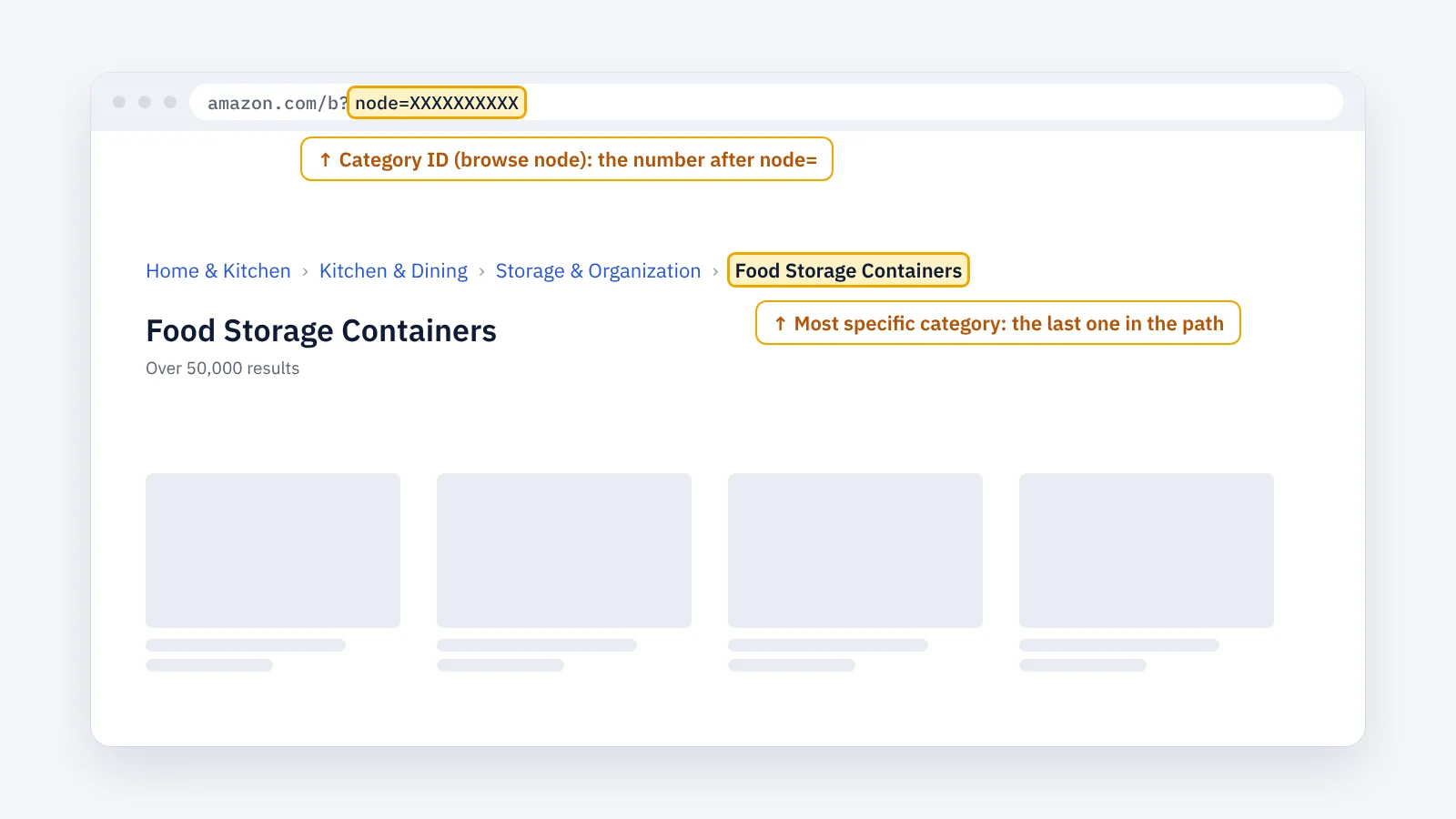
Home & Kitchen › Kitchen & Dining › Storage & Organization › Food Storage Containers
The first category is the broadest. The last one is the most specific, and that is the product’s exact category.
Some page layouts do not show the path. Then use the Sales Rank line in step 2.
Step 2 · Check the Sales Rank categories
Scroll to Product details. The Best Sellers Rank line usually names a main category and one or more subcategories. These are categories the product ranks in. They are often the same as the last category of the path, but not always: a product can be listed in several categories.
Step 3 · Find the category ID (browse node)
Click the last category in the path. The category page opens, and its address contains the category ID after node=:
amazon.com/b?node=XXXXXXXXXX
Some addresses show it as rh=n: followed by the number. This number, the browse node, identifies the category in that marketplace even if its name changes or appears in another language.
Step 4 · Check it in each marketplace
Category trees, names and IDs differ between marketplaces. The same product can sit in a different category on amazon.com and amazon.de. Repeat the steps in every marketplace you research.
Common mistakes
- Taking the department filter of a search as the category. A search result’s department filter is wider than the product’s exact category.
- Stopping at the main category. The main category (for example Home & Kitchen) holds millions of products; the last category is the one that tells you who the product competes with.
- Assuming one product has one category. Many products are listed in several. Check the path and the Sales Rank line.
Once you know the exact category, you can list the products in it: ASIN research: how to find related products.
The faster way: exact categories with ENSKOM
Finding the exact category of hundreds of products means opening every page. ENSKOM’s ASIN Researcher is a Chrome extension that does it in your own browser:
- Exact categories, confirmed: ENSKOM opens each product page on Amazon to confirm its exact category, then collects the products in it.
- Graded by shared categories: Very Strong products share every specific category of your ASIN, Strong most of them, Related at least one.
- Up to 10,000 source ASINs in one research, in any of 21 marketplaces.
- Export: copy the ASINs or export them to CSV or Excel.
The Free plan includes every research feature.
Guides: Start a new research · Read your results · Category presets
FAQ
What is a browse node on Amazon?
It is the ID of a category in Amazon’s catalog. You see it in a category page’s address after node=.
Can a product be in more than one category?
Yes. Many products are listed in several categories. The category path shows one of them; the Sales Rank line can show others.
Why doesn’t a product page show a category path?
Some layouts and categories leave it out. Use the categories in the Sales Rank line, or open the product from a category page.
Does the category affect Amazon’s fees?
Yes. Amazon’s referral fee is a percentage that depends on the product’s category. Check Amazon’s fee pages for your marketplace.
Is the category the same in every Amazon marketplace?
Not always. Each marketplace has its own category tree, names and IDs.